UX Case Studies01 / 05
UX case study · Developer platform
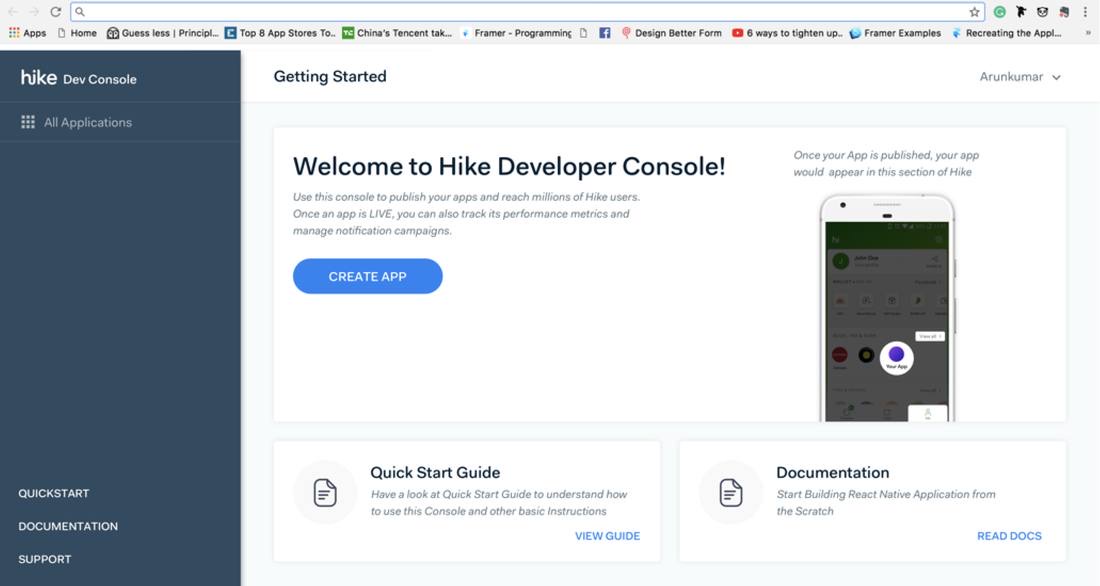
Hike Developer Console
The tool internal teams used to build and publish mini apps inside the messenger — and the same console third-party companies later used to publish theirs.
“
Every team shipping into the platform had built its own way to release — which siloed the teams and slowed every mini-app down.
01The problem
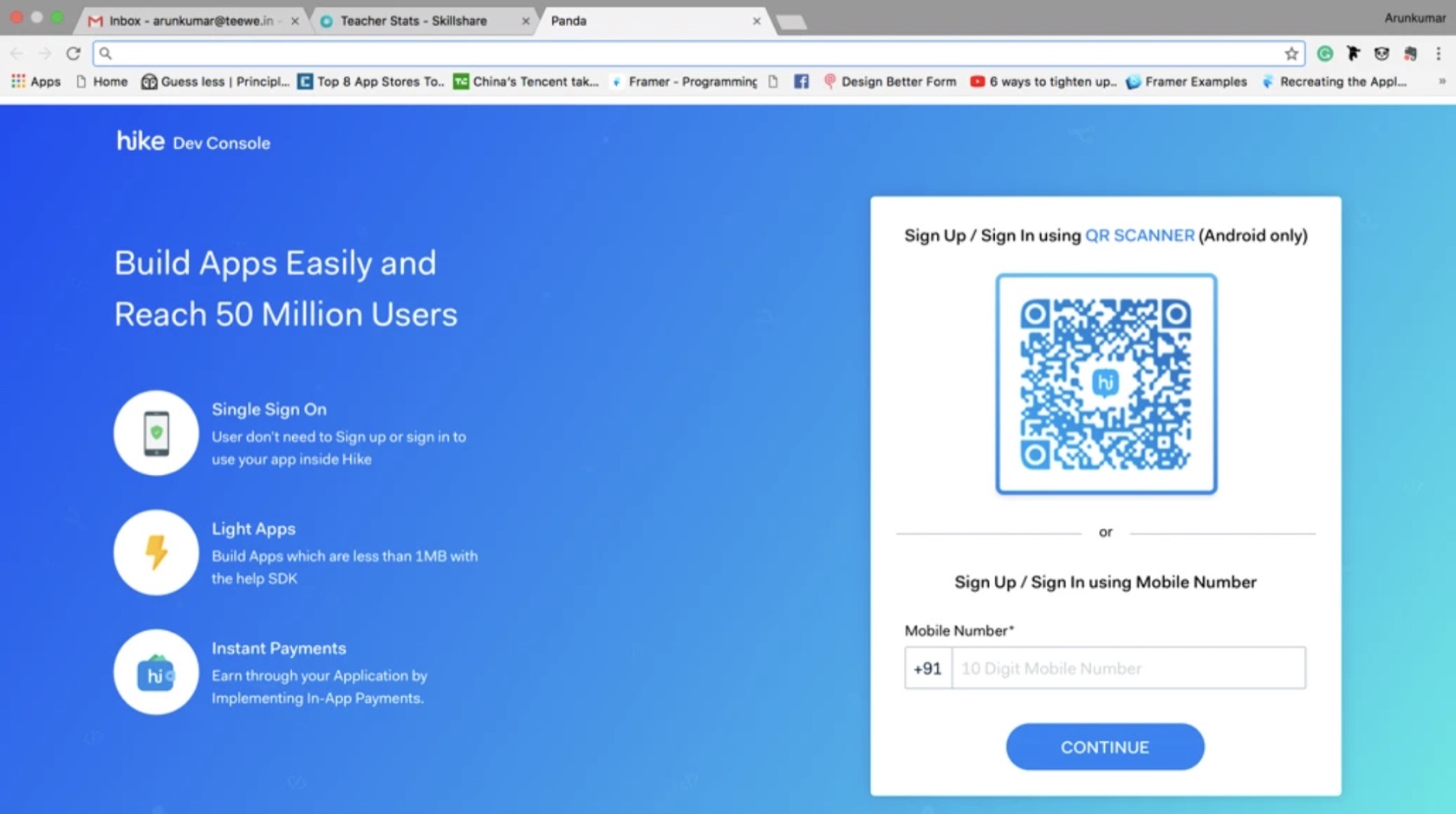
Teams across Hike Messenger were building mini apps into a platform with 50 million users. It started as internal tooling and later became the third-party developer platform — without a redesign.
- Teams worked in silos. Each had invented its own way to push an app, and the process lived in people's heads.
- Scattered information. Not an absence of process — competing versions of it, no agreement between them, no structured path from build to release, and no shared vocabulary for what state an app was in.
- Developer terminology was a wall. My first design role — I had to learn what each term meant to a developer before I could design a flow around it.
- Aligning teams and stakeholders on a single process was the biggest hurdle.
- The cost was real. Publishing slowed to a crawl, and buggy apps reached users because nothing was consistently reviewed first.
02Getting everyone to one way
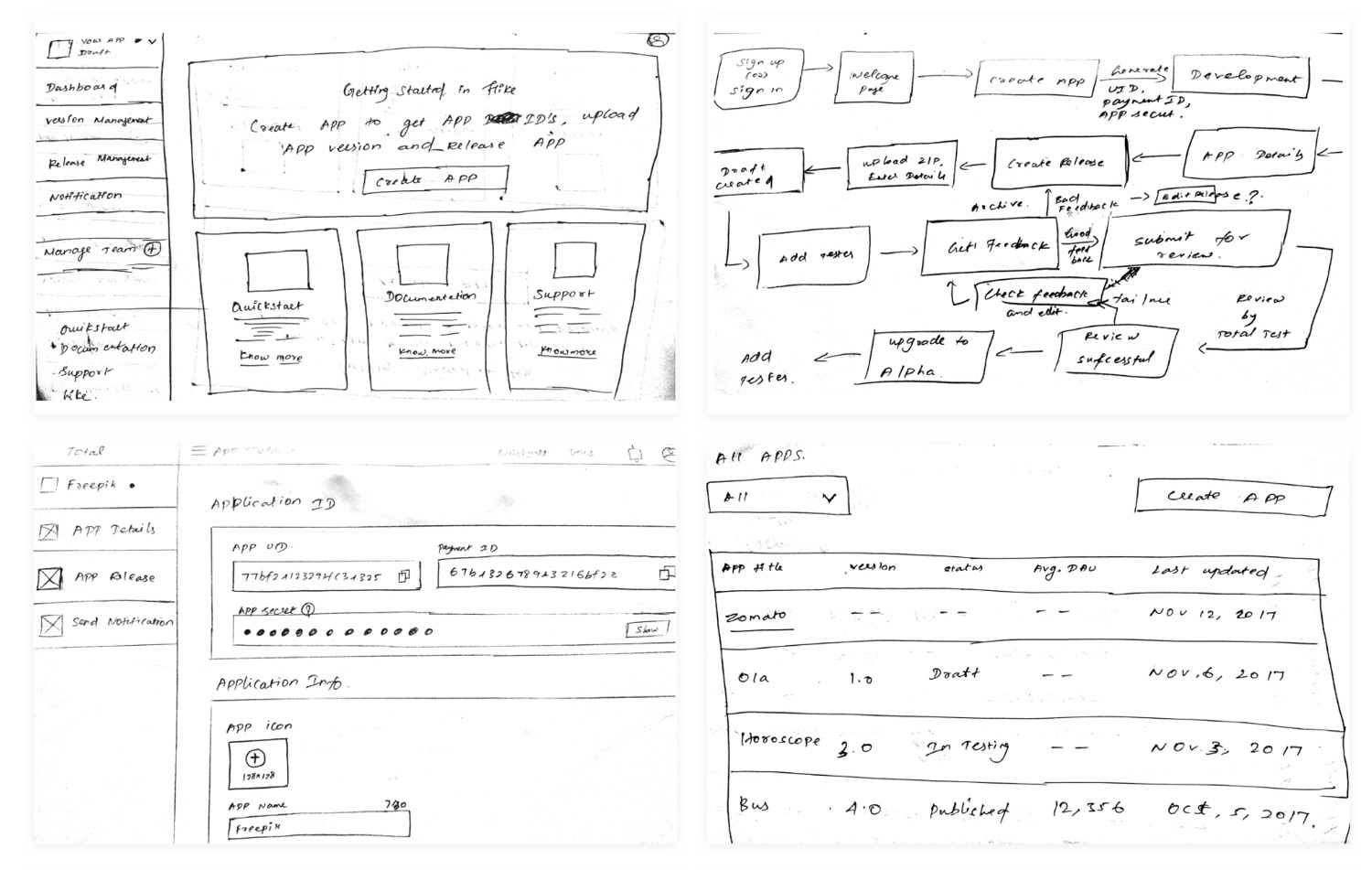
- Interviewed the developers pushing mini apps. Mapped what each team actually did, step by step — not what a process doc claimed.
- Competitive analysis across six consoles — Google, Apple, Facebook, Amazon, Opera, Kik — to find which modules all of them had, and why.
- Then got the teams in a room. I facilitated the sessions where the dev teams worked through the flows together and agreed on how publishing should actually go.
- Iterated fast, in front of them. Agreement came from seeing their own input land, not from a document circulated for sign-off.
03Two users, two weeks
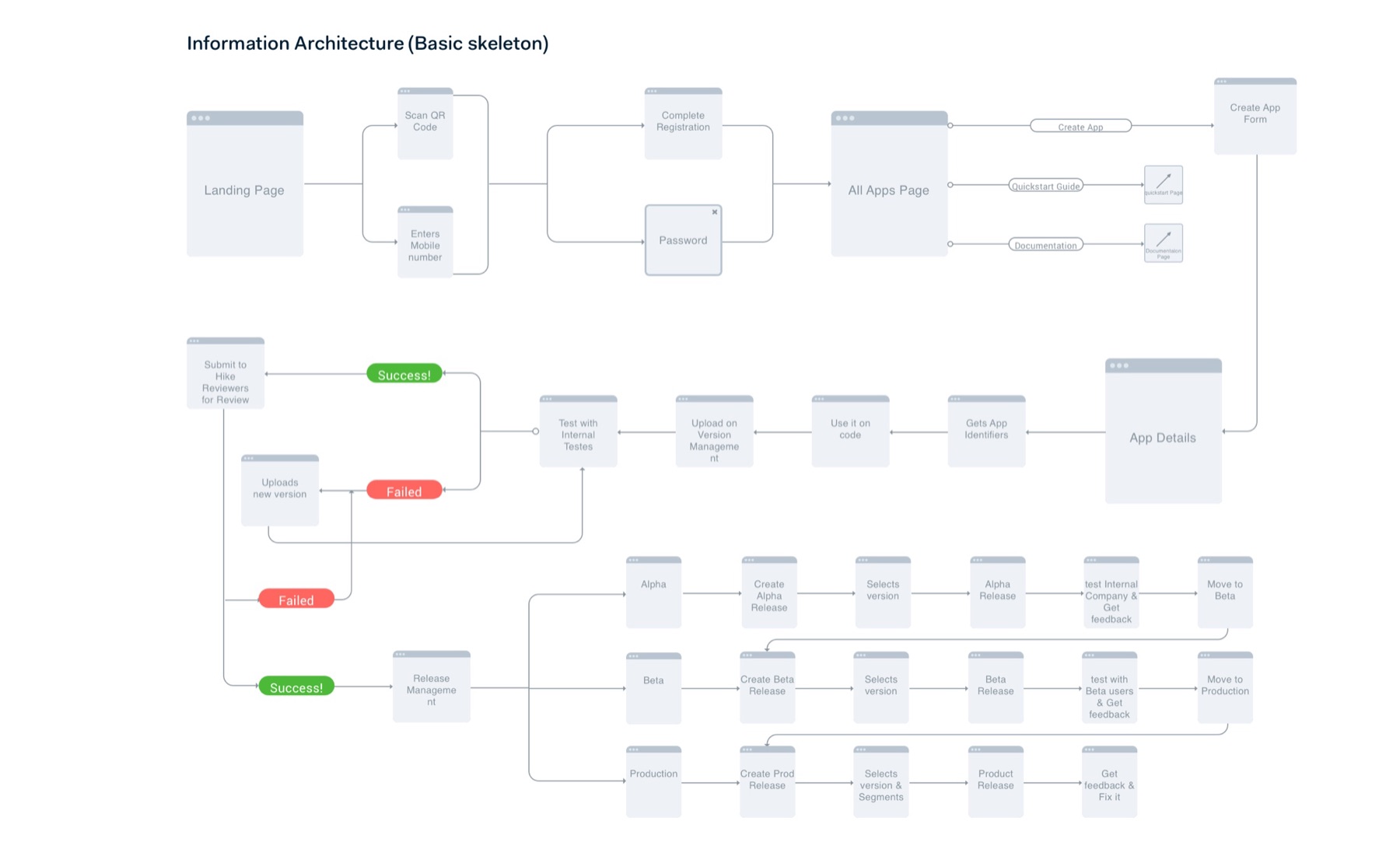
The structureAPublishing
First-time experience
BMaintenance
Long-term experience
Two different users on two different weeks. This split became the console's structure — and it's why the same product later worked for third-party developers without a redesign.
04Version management
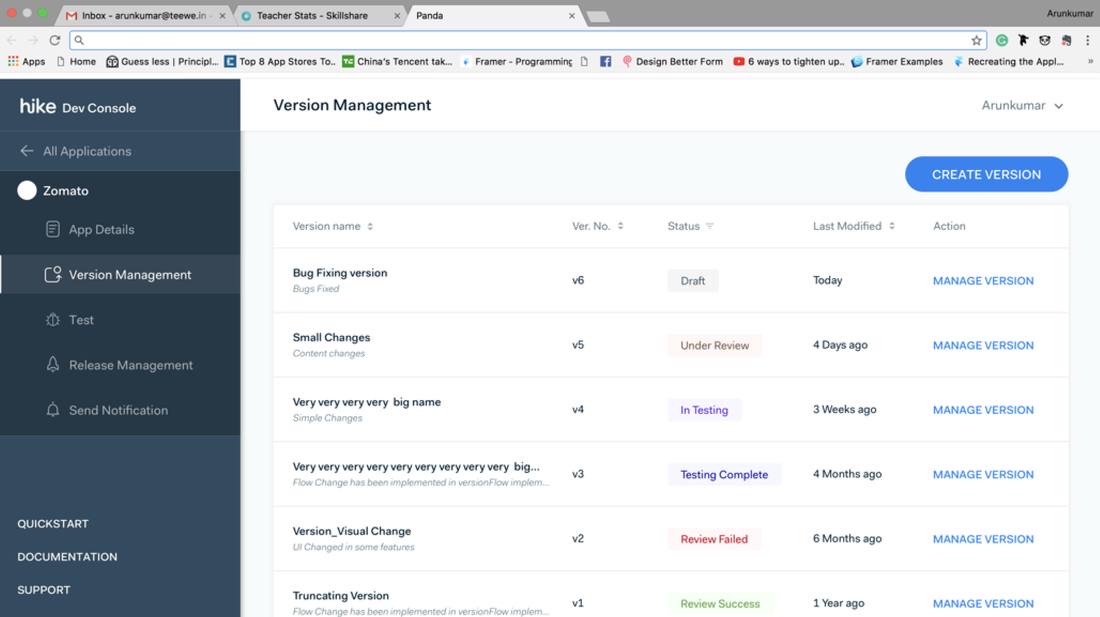
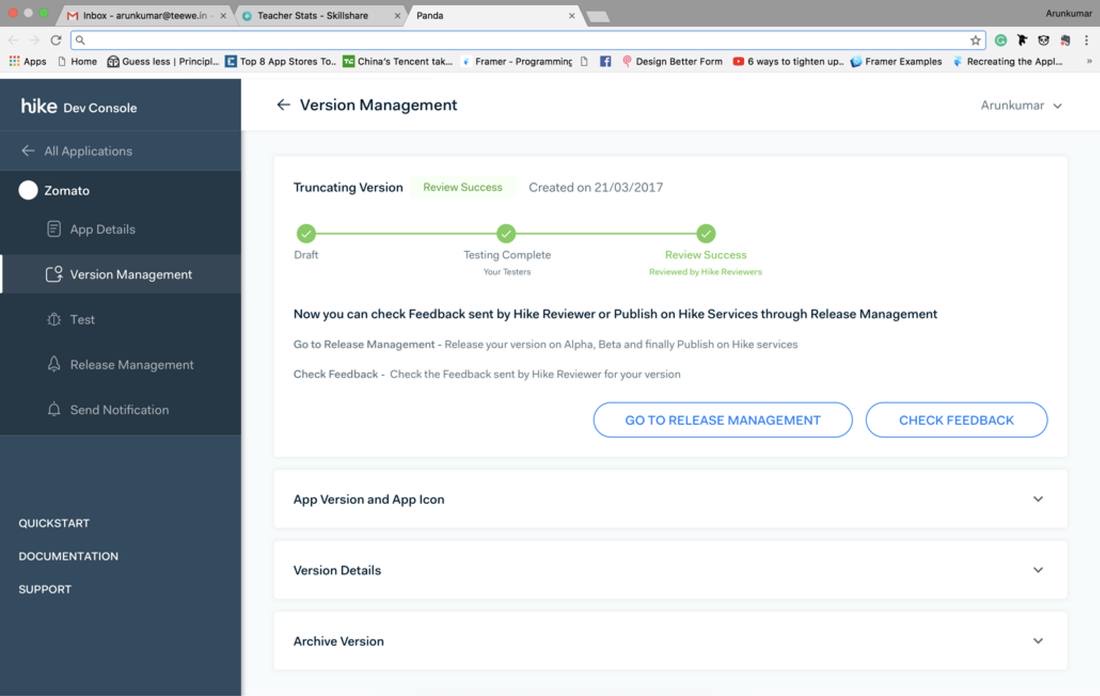
Draft → SuccessDraft→Under Review→In Testing→Testing Complete→Review Failed/Review Success
- A horizontal process across teams. Development and testing move a version through a chain of states, and each state has its own call to action.
- A vocabulary, not a status badge. Everyone finally meant the same thing by "ready".
- Review Failed carries the reviewer's feedback, opened from the same screen. A gate that only rejects teaches nothing.
- Only a finalized version enters release.
Design decisions
- Verbose over minimal. The process is genuinely complicated — so the screen spells things out rather than hiding detail behind a clean surface.
- A timeline down the side so a developer can see the whole flow, where their version is now, and the next action to take.
05Release management
Alpha → ProductionAlpha
Inside the company first.
Beta
A percentage of real users.
Production
Chosen segments, by percentage.
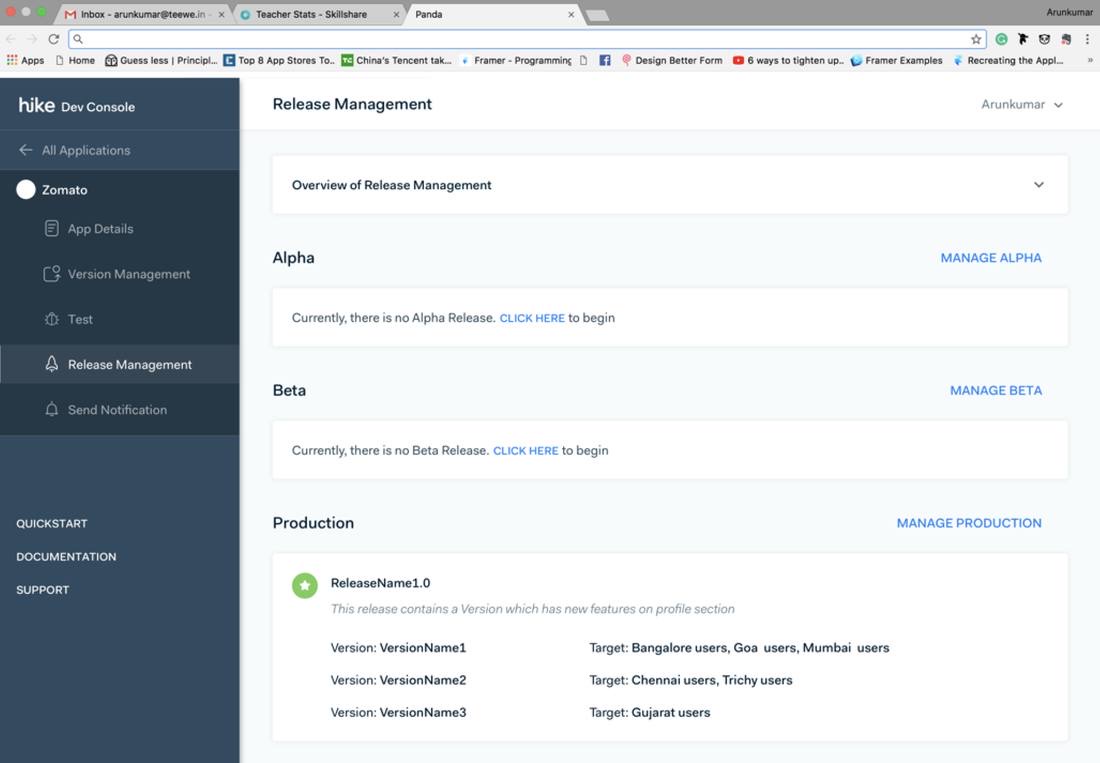
- Nobody ships to 50 million in one move. The interface makes the safe path the default path.
- Same shape as scoping what an agent may touch, and widening it as confidence builds.
- Each version targeted at named segments — Bangalore and Mumbai, Chennai and Trichy, Gujarat. Chosen, not assumed.
06Design system — UI
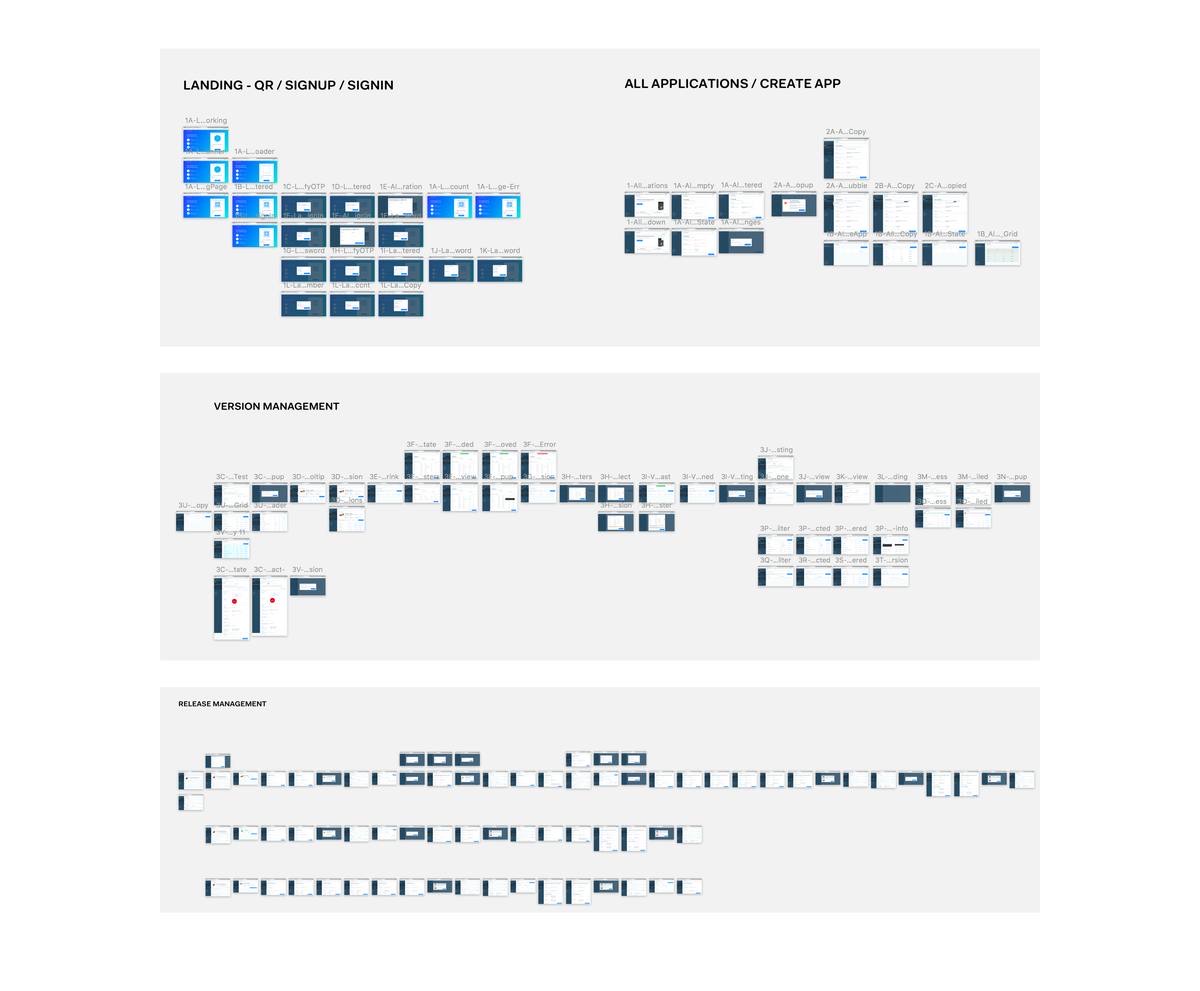
- Full state coverage across every flow: empty, filtered, loading, no results, expired OTP, error.
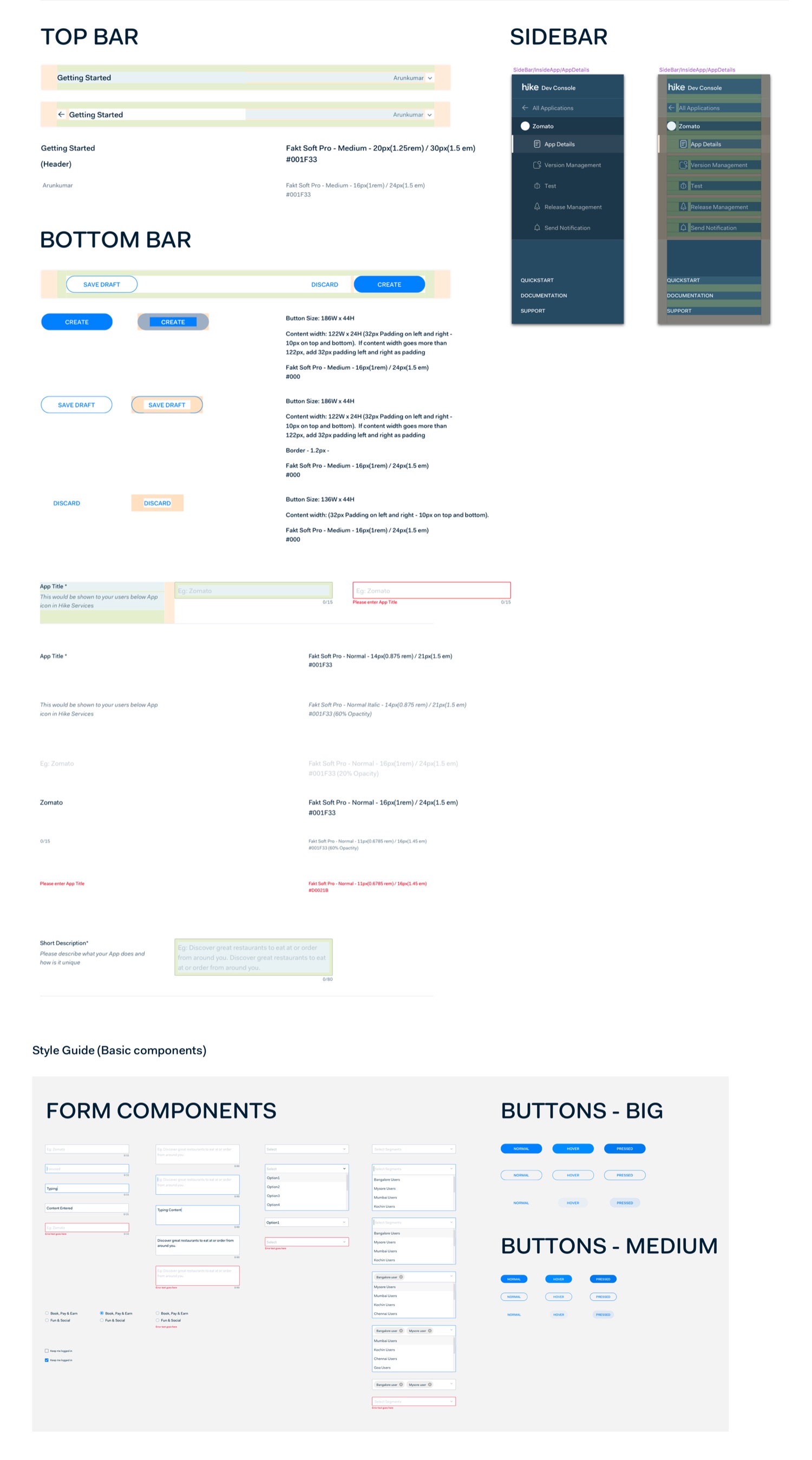
- Redlined type scale, hex with opacity, button and content-width rules.
- Every form component specced through default, focused, typing, filled and error — including visible focus states and inline error text.
07What it changed
One structured way to publish that every team had agreed to. The silos went, and teams shipped faster than when each ran its own process — with a review and testing stage that caught problems before users saw them.